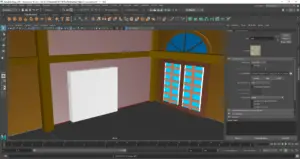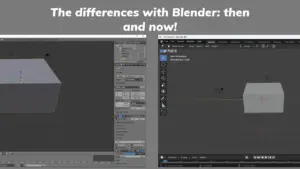
Table of Contents
When it comes to 3D modeling, there are two major software programs that stand out: Blender and Autodesk Maya. Both programs offer powerful tools and features for creating 3D models, but they have their own unique strengths and weaknesses. In this article, we will examine the differences between building a 3D house model on Blender and Autodesk Maya.
Blender is a free and open-source 3D modeling program that has gained a strong following in recent years. It is known for its intuitive user interface and powerful modeling tools. On the other hand, Autodesk Maya is a professional-grade 3D modeling program that is widely used in the film and video game industries. It is known for its advanced features and ability to handle complex projects.
When it comes to building a 3D house model, there are several factors to consider, such as the user interface, modeling tools, materials and texturing, lighting and rendering, animation features, rigging and character setup, file management and integration, community support and resources, cost and licensing, and more. By examining these factors in detail, we can gain a better understanding of the differences between Blender and Autodesk Maya for 3D modeling.
Key Highlights
- Blender is a free and open-source 3D modeling program that offers an intuitive user interface and powerful modeling tools.
- Autodesk Maya is a professional-grade 3D modeling program that is widely used in the film and video game industries and offers advanced features for handling complex projects.
- When building a 3D house model, it is important to consider factors such as the user interface, modeling tools, materials and texturing, lighting and rendering, animation features, rigging and character setup, file management and integration, community support and resources, cost and licensing, and more.
Overview of 3D Modeling in Blender and Maya
Blender and Maya are two of the most popular 3D modeling software tools used for creating 3D models of various types. Both Blender and Maya have their strengths and weaknesses, and the choice between them depends on the specific needs of the user.
Blender is a free, open-source 3D modeling software tool that is widely used in the gaming industry. It offers a wide range of features, including modeling, texturing, animation, and rendering. Blender has a user-friendly interface and is easy to learn, making it an ideal choice for beginners.
Maya, on the other hand, is a professional 3D modeling software tool that is widely used in the film and television industry. It is a powerful tool that offers a wide range of features, including modeling, texturing, animation, and rendering. Maya has a steeper learning curve than Blender, but it is more powerful and flexible.
Both Blender and Maya offer a range of tools for creating 3D models, but there are some key differences between the two. For example, Blender is known for its ease of use and flexibility, while Maya is known for its power and precision.
In terms of modeling, Blender allows users to create 3D models using a variety of tools, including sculpting, modeling, and texturing. Maya, on the other hand, offers a range of modeling tools, including NURBS, polygons, and subdivision surfaces.
When it comes to animation, Blender offers a range of animation tools, including keyframe animation, shape keys, and armature animation. Maya, on the other hand, offers a range of animation tools, including keyframe animation, procedural animation, and motion capture.
In terms of rendering, both Blender and Maya offer powerful rendering engines that allow users to create high-quality 3D images and animations. Blender uses its own rendering engine, called Cycles, while Maya uses Mental Ray and Arnold.
Overall, both Blender and Maya are powerful 3D modeling software tools that offer a range of features for creating high-quality 3D models. The choice between Blender and Maya depends on the specific needs of the user, including their budget, expertise, and the type of project they are working on.
User Interface and Experience
When it comes to building a 3D house model, the user interface and experience are crucial factors to consider. Blender and Autodesk Maya have different interfaces, and each has its own strengths and weaknesses.
Blender Interface
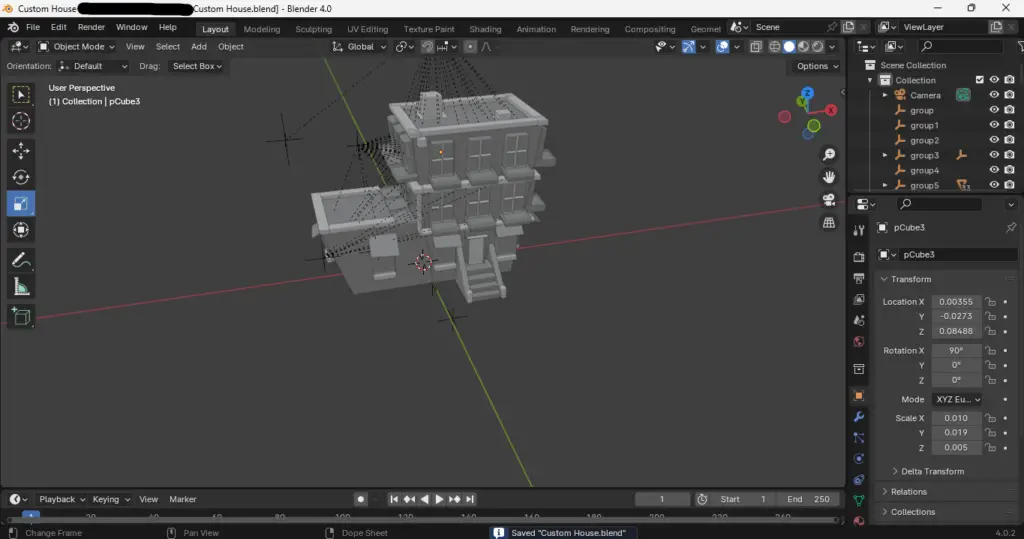
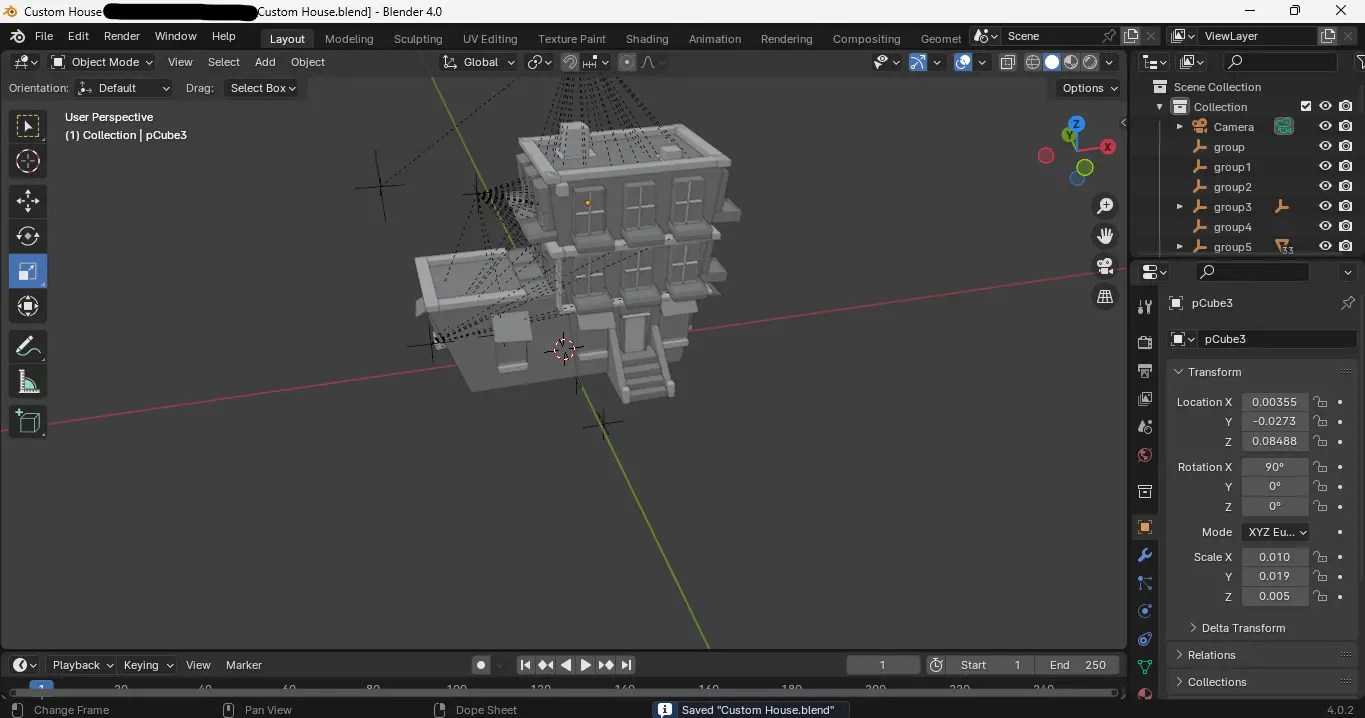
Blender’s interface is known for being highly customizable, allowing users to adjust and personalize the interface to their liking. The interface is designed to be intuitive and user-friendly, with a variety of tools and features easily accessible from the main menu. Blender’s interface is also highly responsive, with fast and smooth navigation throughout the software.
Autodesk Maya Interface
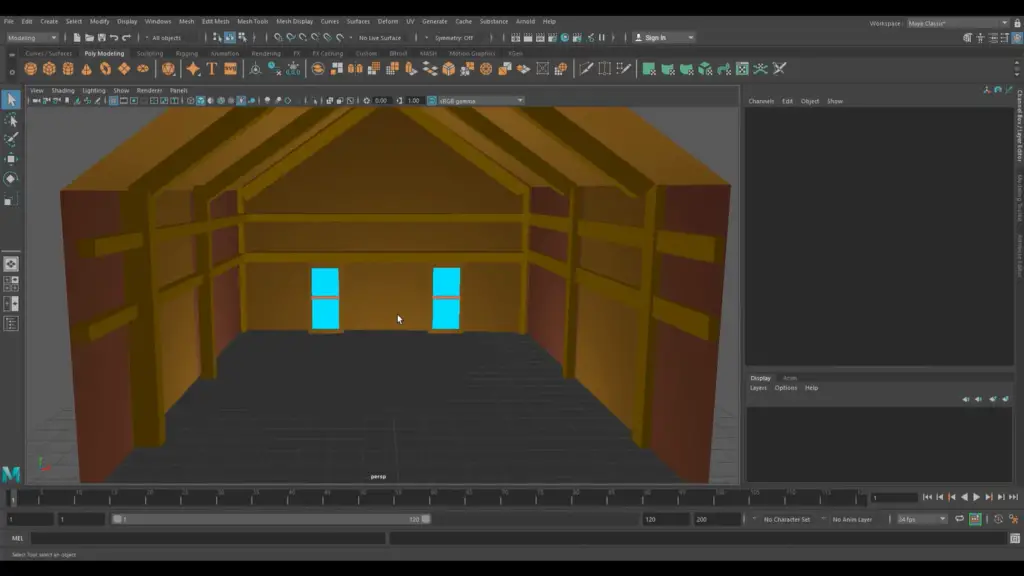
Maya’s interface is known for being more complex and less intuitive than Blender’s interface. However, it offers a range of powerful tools and features that are essential for creating high-quality 3D models. Maya’s interface is highly customizable, with users able to adjust the layout and settings to their liking. While the interface may take some time to learn, once users become familiar with it, they can work quickly and efficiently.
Overall, both Blender and Maya offer unique interfaces that cater to different user preferences. Blender is ideal for those who prefer a more user-friendly and customizable interface, while Maya is ideal for those who need access to a range of powerful tools and features.
Modeling Tools and Techniques
Blender Modeling Tools
Blender is a free and open-source 3D creation software that offers a wide range of modeling tools. Some of the most commonly used Blender modeling tools include:
- Mesh Modeling: Polygonal modeling is the most widely used 3D modeling technique in Blender. This technique involves creating 3D objects using polygonal faces, edges, and vertices. Blender’s mesh modeling tools allow users to create and edit meshes with ease.
- Sculpting: Blender’s sculpting tools allow users to create organic shapes and models with a high level of detail. Sculpting in Blender is similar to sculpting with clay in the real world.
- Modifiers: Blender’s modifier system allows users to apply non-destructive changes to their models. Modifiers can be used to add detail, change the shape of a model, or create complex effects.
- UV Mapping: Blender’s UV mapping tools allow users to map 2D textures onto 3D models. This technique is essential for creating realistic textures and materials.
Maya Modeling Tools
Maya is a 3D modeling, animation, and rendering software that is widely used in the film and video game industries. Some of the most commonly used Maya modeling tools include:
- Polygonal Modeling: Polygonal modeling, also known as mesh modeling, is the most widely used 3D modeling technique in Maya. This technique involves creating 3D objects using polygonal faces, edges, and vertices.
- NURBS Modeling: NURBS modeling is a technique that uses mathematical equations to create smooth, organic shapes. Maya’s NURBS modeling tools are particularly useful for creating complex surfaces and curves.
- Subdivision Surface Modeling: Subdivision surface modeling is a technique that allows users to create smooth, organic shapes using a low-polygon mesh. Maya’s subdivision surface modeling tools are particularly useful for creating characters and creatures.
- UV Mapping: Maya’s UV mapping tools allow users to map 2D textures onto 3D models. This technique is essential for creating realistic textures and materials.
In conclusion, both Blender and Maya offer a wide range of modeling tools and techniques. While Blender is a free and open-source software, Maya is a commercial software that is widely used in the film and video game industries. Both software have their strengths and weaknesses, and the choice between the two ultimately depends on the user’s needs and preferences.
Materials and Texturing
Applying Materials in Blender
Blender’s material system is node-based, which allows for a high degree of flexibility and customization when it comes to texturing and materials. Users can create complex material networks by connecting different nodes together. Blender also offers a wide range of procedural textures that can be used to create a variety of effects. These textures are generated mathematically and can be adjusted to suit the user’s needs.
When applying materials to a 3D house model in Blender, users can take advantage of the UV mapping feature to ensure that textures are applied correctly to the model. UV mapping is the process of creating a 2D representation of a 3D object’s surface geometry. This allows for textures to be applied accurately to the model, even if the surface is complex.
Applying Materials in Maya
Maya’s material system is also node-based, but it uses a different approach than Blender. In Maya, materials are created using a series of attributes that control how the material appears. These attributes can be adjusted to create a wide range of effects, but they do not offer the same level of flexibility as Blender’s node-based system.
When applying materials to a 3D house model in Maya, users can take advantage of the UV editor to ensure that textures are applied correctly to the model. The UV editor allows users to manipulate the UV coordinates of the model’s surface, which determines how textures are applied. Maya also offers a range of texture mapping options, including planar, cylindrical, and spherical mapping.
In conclusion, both Blender and Maya offer powerful material and texturing tools for building 3D house models. Blender’s node-based system provides greater flexibility and customization options, while Maya’s attribute-based system is simpler to use but less flexible. Regardless of which software is chosen, users should take advantage of UV mapping and texture mapping options to ensure that textures are applied accurately to the model’s surface.
Lighting and Rendering
Blender Lighting and Rendering
Blender offers a wide range of lighting options to choose from, including point, spot, sun, and area lights. The software also allows users to adjust the intensity, color, and other properties of each light source to create the desired effect. Blender’s rendering engine, Cycles, uses physically-based rendering to create realistic images with accurate lighting and shading.
One of the advantages of using Blender for lighting and rendering is its ability to use GPU rendering, which can significantly reduce render times compared to CPU rendering. Additionally, Blender allows users to preview their renders in real-time using the Eevee rendering engine, which is especially useful for artists who need to make quick adjustments to their lighting setups.
Maya Lighting and Rendering
Maya offers a variety of lighting options, including directional, point, spot, and area lights. The software also includes a range of tools for adjusting the properties of each light source, such as intensity, color, and falloff. Maya’s rendering engine, Arnold, uses physically-based rendering to create realistic images with accurate lighting and shading.
One of the advantages of using Maya for lighting and rendering is its ability to handle large scenes with many light sources and complex geometry. Additionally, Maya provides users with a range of tools for fine-tuning their lighting setups, such as light linking, light decay, and shadow mapping.
In terms of render times, Maya can be slower than Blender when using CPU rendering. However, Maya also supports GPU rendering with Arnold, which can significantly reduce render times. Maya also provides users with the ability to preview their renders in real-time using the Arnold RenderView, which is useful for artists who need to make quick adjustments to their lighting setups.
Overall, both Blender and Maya offer powerful tools for lighting and rendering 3D house models. The choice between the two software packages ultimately depends on the artist’s preferences and needs.
Animation Features
Blender Animation Tools
Blender offers a wide range of animation tools that allow users to create complex animations with ease. The software’s animation features include keyframe animation, shape keys, and bone-based animation. Users can also create animations using Blender’s particle system, which allows for the creation of realistic fire, smoke, and water effects.
Blender’s animation tools are highly customizable, allowing users to create their own animation workflows. The software also includes a range of animation modifiers, such as the mirror modifier and the array modifier, which can be used to speed up the animation process.
Maya Animation Tools
Maya is known for its powerful animation tools, which are widely used in the film and video game industries. The software’s animation features include keyframe animation, motion paths, and the ability to create and edit animation curves.
Maya also includes a range of animation modifiers, such as the blend shape editor and the lattice deformer, which can be used to create complex animations quickly. The software’s animation tools are highly customizable, allowing users to create their own animation workflows.
One of the advantages of using Maya for animation is its ability to handle large scenes with complex animations. Maya’s animation tools are also highly compatible with other software used in the film and video game industries, making it a popular choice for professional animators.
Overall, both Blender and Maya offer powerful animation tools that can be used to create complex animations with ease. While Blender’s animation tools are highly customizable, Maya is known for its ability to handle large scenes with complex animations.
Rigging and Character Setup
Rigging in Blender
When it comes to rigging in Blender, the process is relatively straightforward and intuitive. Blender’s rigging tools are designed to be user-friendly and accessible, making it a great choice for beginners and hobbyists.
Blender’s rigging system is based on a bone hierarchy, which allows for precise control over the movement and deformation of a character’s mesh. The bones can be manipulated using a variety of tools, including IK (inverse kinematics) and FK (forward kinematics) controls, as well as shape keys and custom drivers.
One of the advantages of rigging in Blender is the ability to use its built-in physics engine to create realistic simulations of cloth, hair, and other soft-body objects. This can add an extra layer of realism to a character’s movement and make it more lifelike.
Rigging in Maya
Maya’s rigging system is more complex and powerful than Blender’s, but also requires more technical knowledge and experience to use effectively. Maya’s rigging tools are designed for professional animators and VFX artists, and offer a wide range of advanced features and customization options.
Maya’s rigging system is based on a node-based architecture, which allows for greater flexibility and control over the rigging process. This can be especially useful for complex characters with multiple limbs or intricate facial expressions.
One of the strengths of Maya’s rigging system is its ability to create custom rigs and tools using Python scripting. This allows for greater automation and efficiency in the rigging process, as well as the ability to create custom tools and workflows tailored to specific projects.
Overall, both Blender and Maya offer powerful rigging tools that can be used to create high-quality 3D character models. The choice between the two ultimately depends on the specific needs and preferences of the user, as well as their level of experience and technical knowledge.
File Management and Integration
When it comes to file management and integration, both Blender and Autodesk Maya offer a range of features that can help streamline the 3D modeling process. However, there are some key differences between the two software programs that users should be aware of.
One of the main advantages of Blender is that it is an open-source software, which means that it is free to use and can be customized to meet the specific needs of each user. This can be especially useful for small businesses or individuals who are just starting out and don’t have a lot of resources to invest in expensive software licenses.
On the other hand, Autodesk Maya is a proprietary software that requires a paid license to use. However, it does offer a number of powerful features that can help users manage their files and integrate their 3D models with other software programs.
For example, Maya offers a range of file formats that are compatible with other Autodesk software programs, such as AutoCAD and Revit. This can be especially useful for architects and engineers who need to share their 3D models with other professionals in the industry.
In addition, Maya also offers a range of tools for managing large and complex projects, such as the ability to create custom scripts and automate repetitive tasks. This can help save time and improve productivity, especially for larger teams working on complex projects.
Overall, both Blender and Autodesk Maya offer a range of features for managing files and integrating 3D models with other software programs. However, users should carefully consider their specific needs and budget before choosing which software program is right for them.
Community Support and Resources
When it comes to community support and resources, both Blender and Autodesk Maya have their own advantages and disadvantages.
Maya, being an industry-standard software, has a robust community and extensive resources. Users can easily find tutorials, forums, and professional support services. Autodesk also offers a comprehensive help center and knowledge base. Additionally, Maya has been around for a long time, which means that it has a vast user base that is constantly contributing to its documentation, tutorials, and add-ons.
On the other hand, Blender’s open-source nature has led to a passionate and engaged community that contributes to its documentation, tutorials, and add-ons. Blender has an active and supportive user community that is always willing to help other users. Blender also has an extensive knowledge base, and users can find tutorials and forums easily.
Both software solutions have their own strengths and weaknesses when it comes to community support and resources. However, Blender’s open-source nature allows users to access a wealth of community-created add-ons and plugins, which can be incredibly useful for specific tasks. Meanwhile, Maya’s extensive resources and professional support services can be of great help for those working in a professional setting.
Overall, both Blender and Maya have their own advantages and disadvantages when it comes to community support and resources. It ultimately comes down to personal preference and the specific needs of the user.
Cost and Licensing
When it comes to cost and licensing, there are some differences between Blender and Autodesk Maya. Blender is free and open-source software, which means that it is available for anyone to use without any cost. On the other hand, Autodesk Maya is a proprietary software that requires a license to use.
Autodesk provides a number of options for licensing Maya. A subscription costs $235 per month, or $1,785 paid annually. This can be a significant investment for individuals or small businesses. However, Autodesk also offers a 30-day free trial of Maya, which can be a good way to test the software before committing to a subscription.
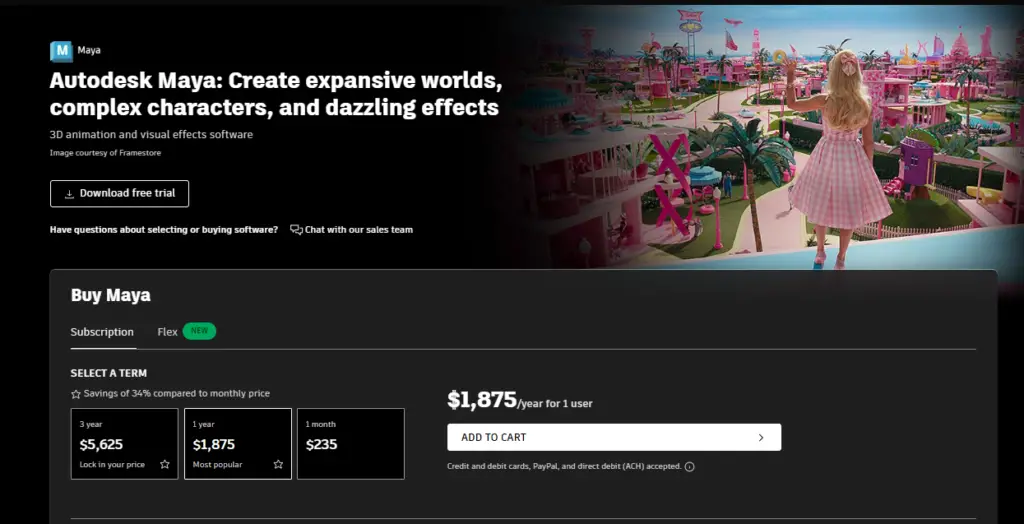
Blender, on the other hand, is completely free to use. There are no hidden costs or fees associated with using Blender, which can be a significant advantage for those on a tight budget. Additionally, because Blender is open-source software, users have access to the source code and can modify it to suit their needs.
Overall, the cost and licensing differences between Blender and Maya can be a significant factor for users. While Maya offers a robust set of features and tools, its cost can be prohibitive for some. Blender, on the other hand, is free to use and can be a good option for those on a tight budget.
Conclusion
In conclusion, both Blender and Autodesk Maya have their strengths and weaknesses when it comes to building a 3D house model.
Blender is a great option for beginners or those on a tight budget. It is easy to learn, has a user-friendly interface, and is free to use. Blender also has a large community of users who create and share tutorials, add-ons, and other resources. However, Blender lacks some of the advanced features found in Maya, such as advanced rigging tools, advanced particle systems, and more robust rendering options.
On the other hand, Autodesk Maya is a powerful tool used by professionals in the film and gaming industries. It has a wide range of features, including advanced rigging tools, advanced particle systems, and more robust rendering options. Maya also has built-in rigs that can be applied to models, which can save time and effort. However, Maya has a steeper learning curve than Blender, and it can be expensive to use.
Ultimately, the choice between Blender and Maya comes down to personal preference, budget, and project requirements. Both programs are capable of building high-quality 3D house models, but each has its own strengths and weaknesses. It is recommended that users try both programs to determine which one works best for their needs.
Frequently Asked Questions
What are the ease-of-use differences for beginners between Blender and Maya?
Blender and Maya both have their own learning curves, but Blender is known to be more beginner-friendly with simpler interfaces and a lower price point. Maya, on the other hand, has a steeper learning curve due to its advanced features and complex interface. However, once a user becomes familiar with Maya, it can offer more control and flexibility in the long run.
How do Blender and Maya compare for game development?
Both Blender and Maya are capable of creating 3D models for game development. However, Maya is often preferred by professional game development studios due to its advanced rigging and animation capabilities. Blender, on the other hand, may be more suitable for indie game developers or hobbyists due to its lower cost and ease of use.
What are the unique features of Maya that are not present in Blender?
Maya has advanced features such as a robust animation system, a powerful rigging system, and better integration with other Autodesk software. It also has a more extensive library of plugins and scripts available. These features make Maya a popular choice for professional studios.
Why do some professional studios prefer Maya over Blender?
Maya is often preferred by professional studios due to its advanced features, flexibility, and compatibility with other Autodesk software. It also has a large user base, making it easier to find support and resources. Additionally, Maya is widely used in the film and animation industry, making it a popular choice for those pursuing a career in these fields.
Can Blender compete with Maya in terms of animation capabilities?
Blender has come a long way in recent years and has become a strong competitor to Maya in terms of animation capabilities. Blender has a robust animation system with features such as keyframe animation, shape keys, and procedural animation. However, Maya still has more advanced features for animation and rigging.
How does the learning curve for 3D modeling compare between Maya and Blender?
Blender is often considered more beginner-friendly with a simpler interface and lower cost. It also has a large community with many tutorials and resources available. Maya, on the other hand, has a steeper learning curve due to its advanced features and complex interface. However, once a user becomes familiar with Maya, it can offer more control and flexibility in the long run.
If you are into more projects such as Maya 3D that we made for the blog, then I suggest you check out our main blog categories and some extra stories on our blog.
Do please check out Autodesk Maya and Blender today so you can give those a try.