

Table of Contents
Video Tutorial
Overview of Why Expanding the House Model Might Be Necessary
Expanding the House Model in Maya 3D can be a challenging task, but with the right resources and guidance, it can be a timely experience. Maya is a powerful 3D modeling software that allows users to create realistic and detailed models of buildings, landscapes, and objects. By expanding a Maya 3D house model, users can add doors, windows, and other objects that will fit inside, making the model more detailed and realistic.
There are many resources available to help users expand their Maya 3D house model, including tutorials, guides, and videos. These resources can provide step-by-step instructions on how to add doors, windows, and other objects to the model, as well as tips and tricks for creating a realistic and detailed model. With the right resources and guidance, users can expand their Maya 3D house model to create a stunning and realistic representation of a building or home.
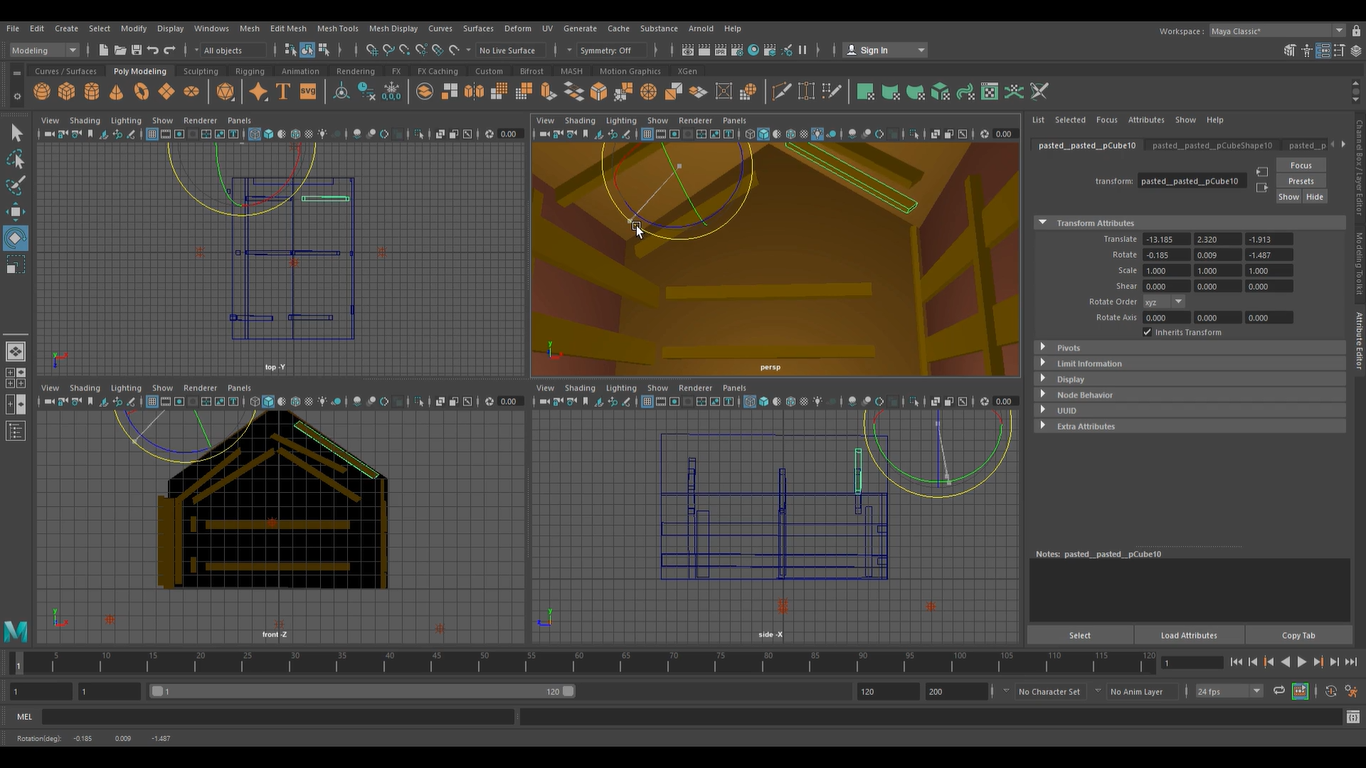
In this brief and short article, we will explore the different techniques and tools used to expand the Maya 3D House Model. The video also explains how we’ve did it. We will cover the basics of 3D modeling in Maya, including how to manipulate vertices, edges, and polygon faces. Additionally in the future, we will delve into more advanced techniques such as extruding polygon faces and inserting edge loops using the Multi-Cut tool. By the end of this article, readers will have a better understanding of how to expand their Maya 3D House Model and create impressive, realistic models than before.
One Advantage of Expanding the Maya 3D House
Expanding the Maya 3D House comes with several advantages that can make a significant difference in the overall functionality and aesthetics of the house.
By expanding the model, you can add doors, windows, and other objects that will fit inside the house. This can make the model more realistic and can help to create a more immersive experience for the viewer. Additionally, expanding the model can help to improve your skills as a 3D artist, as it requires a deep understanding of the software and the principles of 3D modeling.
Improved Visualization
Expanding the Maya 3D House Model can improve visualization, making it easier for users to see and understand the design. By adding more detail to the model, users can get a better sense of what the final product will look like. This can be particularly useful for architects and designers who need to present their work to clients.
In addition, expanding the model can help users identify potential issues or challenges before construction begins. By visualizing the design in 3D, users can identify areas that may need to be adjusted or modified to ensure the final product meets their needs.
Increased Accuracy
Expanding the Maya 3D House Model can also increase accuracy, ensuring that the final product is built to the desired specifications. By adding more detail to the model, users can ensure that all elements of the design are accounted for. This can help reduce errors and ensure that the final product meets the expectations.
Adding more elements inside is also an essential part. Why made the house empty by any chance? There will be lots to cover nonetheless since we need objects inside the house.
In addition, expanding the model can help users identify potential issues or challenges before construction begins. By identifying these issues early on, users can make adjustments to the design to ensure that the final product is built to the desired specifications.
Greater Flexibility
Expanding the Maya 3D House Model can also provide greater flexibility, allowing users to make changes to the design more easily. By adding more detail to the model, users can adjust the design as needed, without having to start from scratch. This can be particularly useful for architects and designers who need to make changes to the design based on client feedback.
In addition, expanding the model can help users explore different design options. By visualizing the design in 3D, users can experiment with different materials, colors, and textures to see how they will look in the final product. This can help users make more informed decisions about the design and ensure that the final product meets their needs.
Overall, expanding the Maya 3D House Model can provide several benefits to users, including improved visualization, increased accuracy, and greater flexibility. By taking advantage of these benefits, users can create more detailed and accurate designs, while also exploring different design options to ensure that the final product meets their needs.
One Challenge Seen That Was Hard to Achieve Right
Expanding the Maya 3D House Model can also present many challenges. One of the main challenges is ensuring that the expanded model remains realistic and cohesive. This means that the new objects must fit seamlessly into the existing model and must be consistent in terms of scale, texture, and lighting. Another challenge is managing the complexity of the model, as adding new objects can make the model more difficult to work with.
In our case, the Ceiling Pieces had an issue with an issue with aligning to the top of the Main House Ceiling correctly. The sticks was the trickiest to adjust and spin on top of the house and even sticked out of the roof. No surprise there. We needed to find way to spin the model right since it’s software makes it a little difficult.
Tools and Techniques for Expanding the Model
There are several tools and techniques that can be used to expand the Maya 3D House Model. One of the most important tools is the modeling toolkit, which provides a range of tools for creating and editing 3D objects. Other important tools include the UV editor, which allows you to create and edit textures, and the lighting editor, which allows you to adjust the lighting in the scene. Techniques such as subdivision modeling, extrusion, and beveling can also be used to create more complex objects.
In conclusion, expanding the Maya 3D House Model can be a challenging task. By understanding the benefits, challenges, and tools and techniques involved, you can create a more realistic and immersive model that showcases your skills as a 3D developer. More guides to come in the following sets of videos later on.
If you are into more projects such as Maya 3D that we made for the blog, then I suggest you check out our main blog categories and some extra stories on our blog.
Check out Maya today and special thanks to AngeloJacksonED for supplying the video.
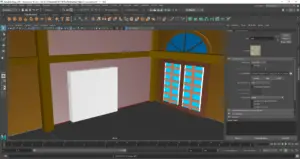


Nice. Angelo will probably have more Maya Tutorials for us to look at. Great work Fluid!